
Container Seal Number: How to Find It and How It Differs
See hypothetical container seal number examples, where to read the seal and how it differs from a container or booking ID. A seal number is not a tracking input.
Quick answer: what a container seal number is
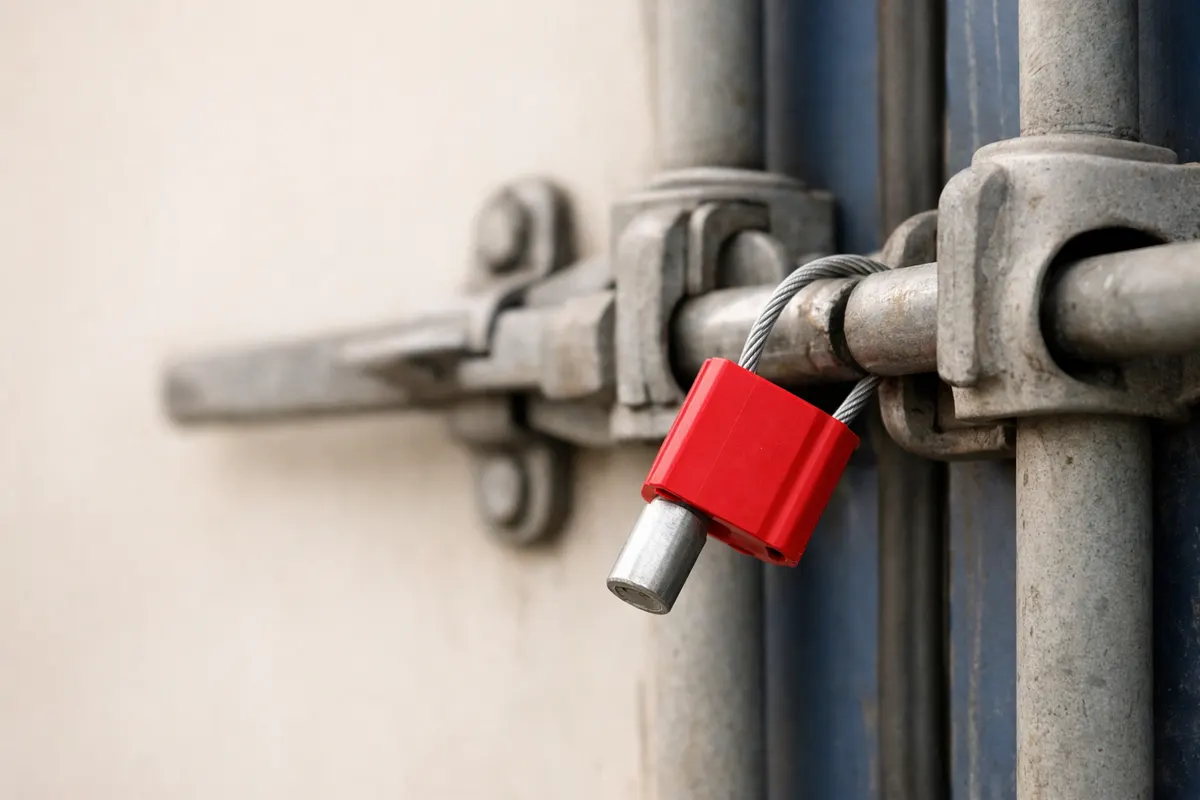
A container seal number is the unique identifier printed or stamped on the physical seal used to secure the container doors after stuffing. It is usually shown on a plastic or metal tag, bolt seal head, or tamper-evident strip fixed through the door latch.
A seal number is not the same as a container number (the ISO-style code on the container side), a booking number, or a bill of lading number. Those other IDs are used for tracking and documentation, while the seal number indicates which physical seal was applied.
Important operational note: a seal number is not a Containo tracking input. If a seal listed in a photo or paperwork doesn't match the carrier or shipper records, route the discrepancy to the carrier and the shipper for confirmation and correction.
- What it is: the printed/stamped ID on the physical seal used to secure doors.
- What it isn’t: it’s not the container’s ISO number, booking ID, or tracking reference.
- Practical tip: use the seal number as supporting evidence—confirm with carrier/shipper before acting.
What a container seal number actually means in shipping
Carriers and shippers use a seal number to show that a particular seal was applied at a specific point in the logistics chain—typically after stuffing or at a secure gate. The presence of a seal number in documentation proves the identity of the seal recorded, not necessarily the integrity of the cargo inside.
Operational workflows differ: exporters usually record the seal number when stuffing a container and include it on the packing list or export manifest. At import, terminals and customs may check that the seal number on the container matches the paperwork. If the numbers differ, that discrepancy becomes a recordable event with timestamps (for example, 'seal checked 2024‑09‑12 08:32 UTC at Gate A').
From an event-status standpoint, seal numbers represent a reported (but not always confirmed) milestone. A recorded seal application is a reported action; a seal verified by an independent inspector or terminal with a matching timestamp is closer to a confirmed event. Always verify whether the recorded time for the seal application is estimated, reported by the shipper, or confirmed by a handling party.
- Seal number records an applied seal; it does not prove door integrity after transit.
- Common recording points: stuffing, export gate, terminal check, import gate, customs exam.
- Distinguish reported vs confirmed: who logged the seal and is there a timestamped photo or terminal scan?
Key visual and contextual clues to identify a real seal number
If you have a photo, several clues increase confidence that the digits are a seal number and not another tag or label. The strongest clues come from location and format: seal IDs are normally on or immediately adjacent to the lock/seal body between the two container doors, where a bolt or cable passes through the latch.
Format helps: many bolt and cable seals use short alphanumeric strings (commonly 6–20 characters) and may be stamped or printed on both sides of a tag. Barcodes or QR codes are common on modern seals; if present, the barcode is often paired with the human-readable seal number nearby.
Contextual clues—like a timestamp visible on the photo, a gate or terminal sign, or matching documentation (packing list, gate receipt, e-manifest)—raise confidence that the number is the recorded seal rather than a yard sticker, chassis plate, or container door serial.
- Location: attached through the door latch or lock area, not on the container side wall.
- Tag type: bolt seal head, cable seal tag, or plastic pull‑tight tag; check both faces of the tag for matching digits.
- Format: short alphanumeric string; look for repeated printed numbers (both faces) or a barcode.
- Photo evidence: include scale and a timestamp, and show surrounding context (door hinges, latches) to rule out lookalikes.
- Documentation check: corroborate the photographed seal number with the bill of lading, packing list, or terminal gate receipt.
Step-by-step: how to check a seal number and respond to mismatches
Step 1 — Collect evidence. If you’re relying on a photo, capture the seal close-up plus a wider shot showing the container doors and any nearby terminal signage or truck plates. Note the photo timestamp and who took it. A single blurred close-up is weaker evidence than a clear close-up plus context shots.
Step 2 — Read the number carefully and transcribe it exactly. Seal numbers can include letters that look like numbers (O vs 0, I vs 1), so confirm ambiguous characters by checking both faces of the tag or any barcode. If you have a barcode or QR code, scan it with a reader to retrieve the exact text when possible.
Step 3 — Cross-check with paperwork and system records. Compare the transcribed seal number to the bill of lading, packing list, terminal gate receipt, or carrier manifest. Record the timestamp for each source (for example: 'Shipper recorded seal 7A-12345 at 2024‑10‑02 14:12 local; terminal gate shows seal 7A-12345 at 2024‑10‑03 07:24 local').
Step 4 — Escalate discrepancies to carrier and shipper. If the photographed or recorded seal number does not match carrier/terminal records, contact the carrier and shipper immediately and provide timestamped evidence. They will check their chain-of-custody logs and accept or correct the recorded seal in their systems.
Step 5 — Document outcomes and next steps. If a mismatch remains unresolved, ask for a terminal inspection or an official gate/inspection report. Save all timestamps, photos, and communication records; these are the core evidence used to resolve claims or customs queries.
- Capture: clear close-up + contextual photo with visible timestamp or device metadata.
- Transcribe: check for similar characters and scan any barcode when available.
- Corroborate: compare against bill of lading, gate receipts, and carrier manifests.
- Escalate: send evidence to carrier and shipper; request an official gate/terminal check if needed.
- Record: save all timestamps and replies as part of the chain-of-custody record.
Examples
Example 1 — Matching seal on photo and bill of lading. A forwarder’s stuffing photo shows seal 'BOL-93512' stamped on a bolt seal. The bill of lading lists the same seal and includes a stuffing timestamp. This is straightforward supporting evidence: log the match, note the timestamps, and treat the seal as the recorded seal unless a terminal later reports otherwise.
Example 2 — Photo shows a different number than the terminal gate receipt. Suppose a consignee has a photo of seal 'C-4710' taken at arrival but the terminal gate receipt lists 'C-4711.' In that case, escalate immediately to the carrier and shipper, providing both the photo (with timestamp) and the gate receipt. Discrepancies are often due to transcription errors or replacement seals applied during transit and should be resolved by the carrier or terminal.
Example 3 — Photo unclear or label is a lookalike. A photo shows a numeric sticker near the door that reads 'DOOR 42' while the paperwork lists a complex alphanumeric seal. Here the visible sticker is likely a yard or door ID, not a seal. Don’t assume a match—request a clearer image of the physical seal tag and ask the party who supplied the photo to show the latch area and both faces of the tag.
Example 4 — Customs or inspection changed the seal. If customs or a bonded warehouse performs an inspection and replaces the original seal, they should issue an inspection report and record the new seal number with a timestamp. When a seal change is official and documented, record both the original seal (if available) and the replacement seal along with the inspection report reference.
- Match: photo + paperwork timestamps line up → strong supporting evidence.
- Mismatch: photo ≠ gate receipt → escalate to carrier and shipper with timestamps.
- Lookalike: yard/door stickers can be mistaken for seals—ask for a close-up of the latch area.
- Seal replacement: requires official inspection report and both seal IDs to reconcile chain of custody.
Limitations: what a seal number photo can and cannot prove
A clear photo of a seal number proves that the specific seal tag visible in the image bears that identifier at the time the photo was taken. It does not prove that the seal remained intact during transit, that cargo content matched documentation, or that the seal was applied by the party listed on the bill of lading. For those claims you need chain-of-custody records and, often, terminal or inspection reports.
Photos can be misleading: poor lighting, image cropping, low resolution, or angle can hide digits or show lookalikes. Similarly, a seal tag may have been swapped, or the tag in the photo may not be the seal the carrier recorded. That’s why matching timestamps and corroborating documentation are essential to move from a 'reported' event to a 'confirmed' one.
When certainty matters—customs holds, claims, or legal disputes—do not rely on a single image. Ask for timestamped gate receipts, carrier or terminal scans, or an official inspection report. If the situation is urgent, work directly with the carrier and shipper; they control official records and will correct or confirm the recorded seal in their systems.
- Photo strength: proves what was visible at the moment of capture, not later integrity.
- Unreliable alone: avoid using a single image as final evidence for claims or acceptance.
- Verification needed: gate receipts, terminal scans, or inspection reports move a reported seal toward confirmation.
- Final authority: carriers, terminals, and shippers hold the official records—route disputes to them.
Related guides
Next step: use evidence-first checks before action
After you’ve photographed the seal and checked documentation, use Container Tracking - Containo as an optional first pass to compare the visible identifiers against known container and milestone data. If the seal number still conflicts with carrier or terminal records, contact the carrier and shipper and provide your timestamped photos and receipts. Visit https://containertracking.app/ for more guidance and to view shipment status tools that help organize timestamps and documents.
Take the next step →Frequently asked questions
Where exactly is the seal number located on a container?
The seal number appears on the physical seal fixed through the container door latch—on a bolt head, cable tag, or plastic pull‑tight tag. It’s located at the meeting point of the two rear doors, not on the side wall or chassis plates. When photographing, get a close-up of the tag and a wider shot showing the doors and latch area for context.
Can a photo alone prove the seal number and resolve a discrepancy?
A clear, timestamped photo of the seal strongly supports the recorded number, but it rarely resolves disputes by itself. Carriers, terminals, and shippers rely on their gate receipts, manifest records, and inspection reports. Use the photo as supporting evidence and supply timestamps and paperwork when you escalate the issue to the carrier or shipper.
Is the container seal number the same as the container number or booking number?
No. The container number is an ISO-style code printed on the container’s side (for example, ABCU1234567). The booking number and bill of lading are documentation references used to manage the shipment. The seal number is a separate identifier attached to the seal on the doors; it’s primarily used to record which seal was applied.
What should I do if the photographed seal doesn’t match the bill of lading or carrier record?
Collect all evidence: original photo(s) with timestamps, the bill of lading, gate receipts, and any terminal or carrier emails. Contact the carrier and shipper immediately, provide the evidence, and request a gate or terminal check. If the carrier confirms a seal change or a recording error, ask for the official report or corrected record to close the discrepancy.